Nautobot Digital Twin
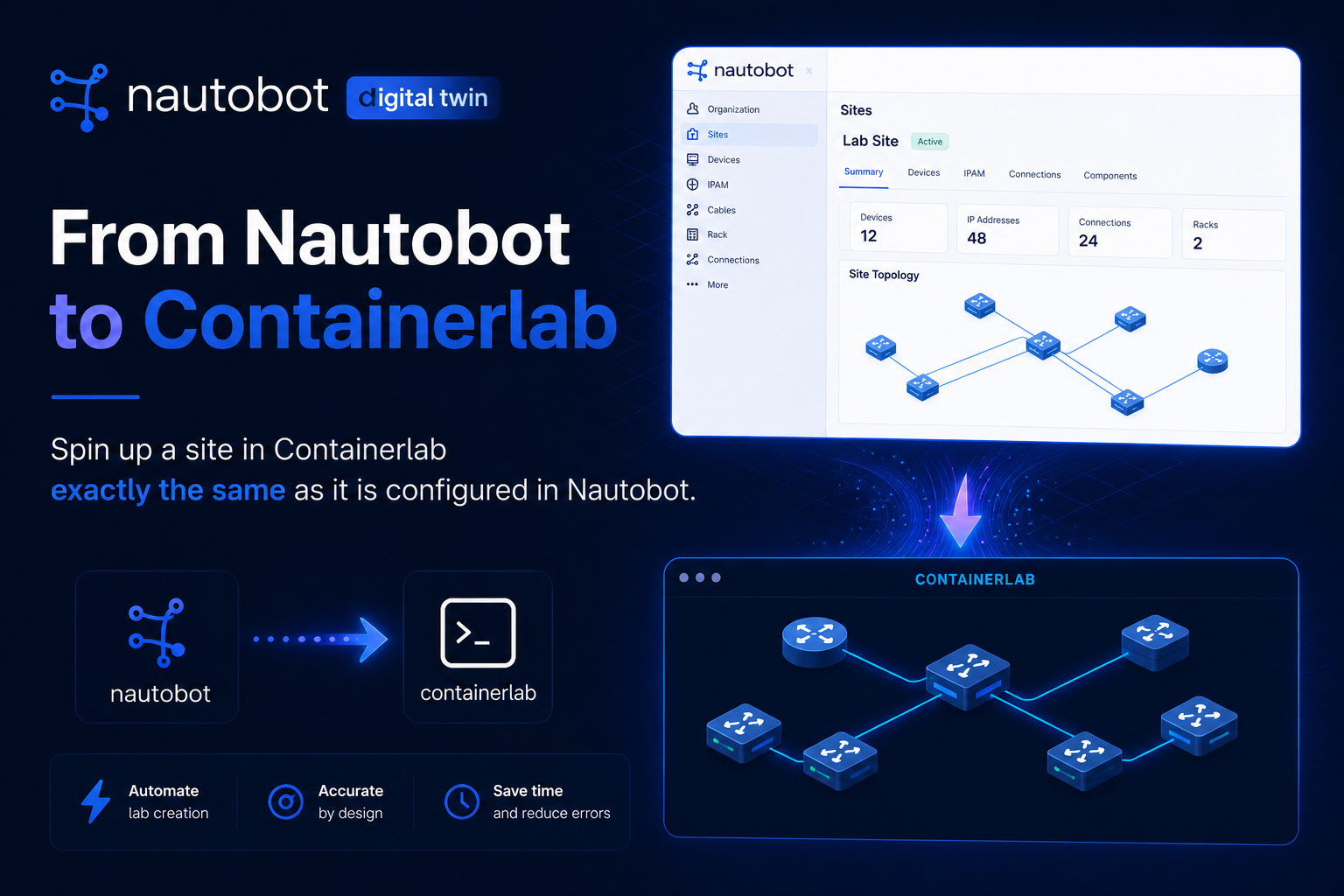
Your network exists twice: once in production, and once in Nautobot as the source of truth. What is usually missing is a third copy, a place where you can actually run the topology, push a config change, and watch what happens before it touches real hardware.
The Nautobot Digital Twin app builds that third copy on demand. It reads your Location, Device, Interface, and Cable data, generates a lab topology, and spins up a disposable environment on your chosen backend (containerlab or EVE-NG), all from a Nautobot job or a button on the Location page. When you are done, it tears the lab back down, and it can even clean up after itself on a timer.
Why a Digital Twin
A digital twin is a throwaway, runnable copy of a piece of your network. It is useful whenever you want to test something without a maintenance window:
- Validate intended config before pushing it to production.
- Reproduce a topology to debug a routing or VLAN issue safely.
- Train and demo on a realistic environment that matches the real inventory.
- Test automation (Golden Config, SSoT, your own jobs) end to end against live nodes.
The key idea: you already modeled the network in Nautobot, so the lab should be generated from that model, not hand-built in a separate tool that immediately drifts out of date.
How It Works
The app is driven entirely through Nautobot Jobs. You pick a deployment backend with BACKEND (containerlab or eve-ng):
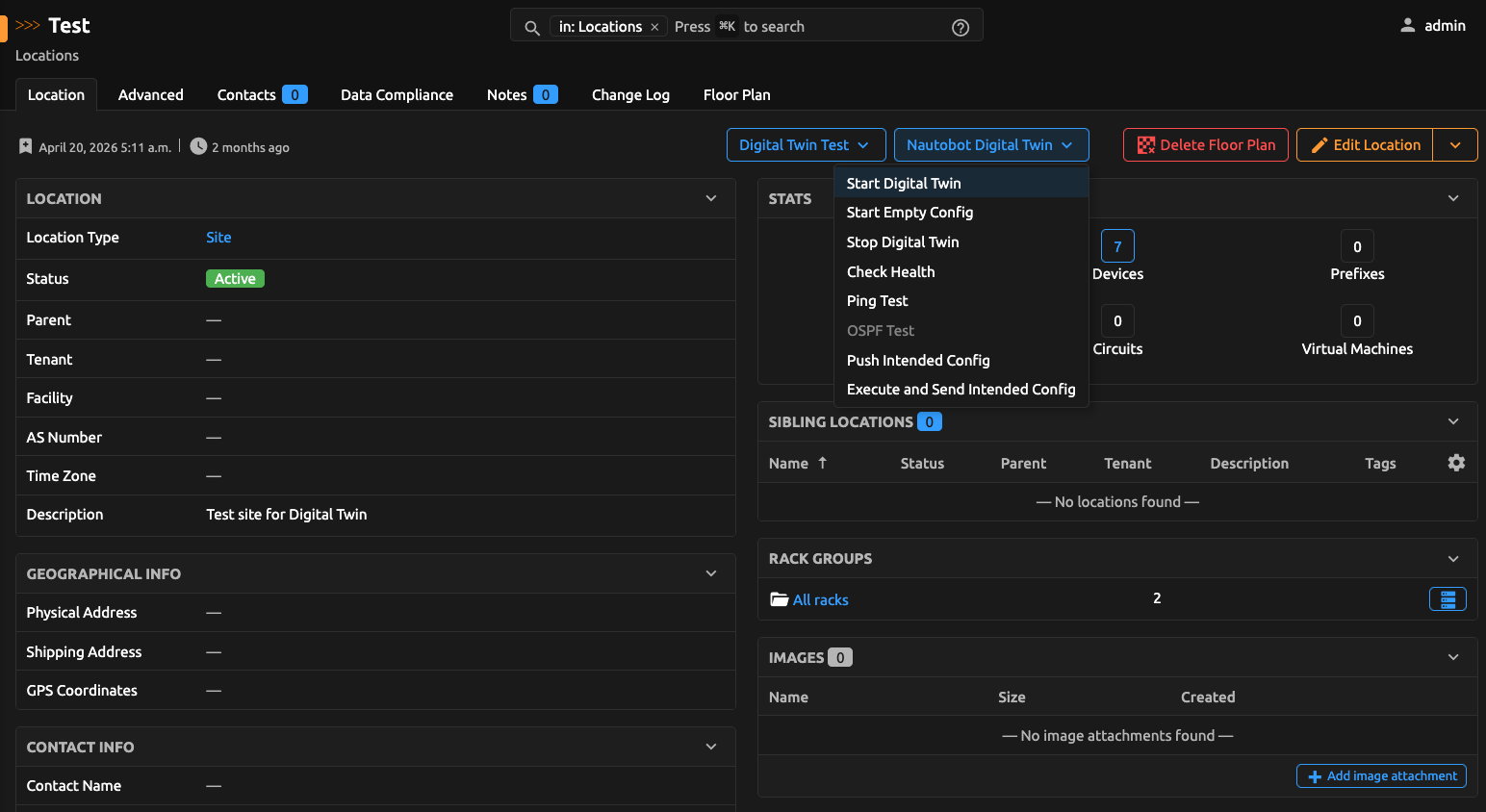
- You trigger Start Digital Twin for a Location (manual job or a Job Button on the Location page).
- The app reads the devices, interfaces, and cables for that Location and builds a backend-specific topology.
- The lab is created and started on the remote backend (SSH for containerlab, REST API for EVE-NG).
- A
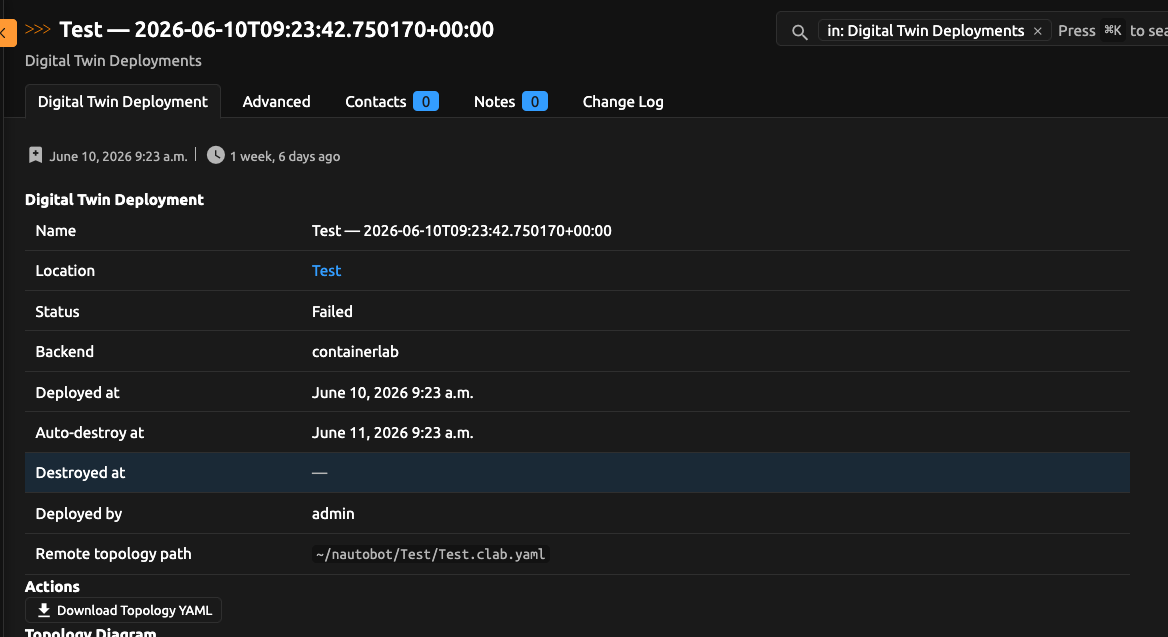
DigitalTwinDeploymentrecord tracks state (deploying->deployed), which backend was used, who deployed it, and an optional auto-destroy time. - When you are finished, Stop Digital Twin tears it down and records
destroyed.
Because the topology is regenerated from Nautobot each time, the twin always reflects the current source of truth. Added a device or a cable? Run Redeploy and the lab catches up.
Backends
| Backend | How it talks to the lab host | Strengths today |
|---|---|---|
| containerlab | SSH | Full feature set: intended-config push, mesh ping validation, image pull checks |
| eve-ng | HTTPS REST API | Create lab, add nodes from devices, wire cables as bridges, start/stop/delete, health inspect |
Set "BACKEND": "containerlab" or "BACKEND": "eve-ng" in PLUGINS_CONFIG. Destroy, redeploy, and health checks use the backend recorded on the deployment, so mixed environments stay consistent.
Install
The app is published on PyPI. Current beta:
Requires Nautobot 3.2.0+.
Containerlab
PLUGINS = [
    "nautobot_digital_twin",
]

PLUGINS_CONFIG = {
    "nautobot_digital_twin": {
        "BACKEND": "containerlab",
        "CONTAINERLAB_SSH_HOST": "172.16.6.128",
        "CONTAINERLAB_SSH_PORT": 22,
        "CONTAINERLAB_SSH_USER": "clab",
        "CONTAINERLAB_SSH_PASSWORD": "clab",
    },
}
EVE-NG
PLUGINS = [
    "nautobot_digital_twin",
]

PLUGINS_CONFIG = {
    "nautobot_digital_twin": {
        "BACKEND": "eve-ng",
        "EVE_NG_URL": "https://eve.example.com",
        "EVE_NG_USER": "admin",
        "EVE_NG_PASSWORD": "eve",
        "EVE_NG_LAB_FOLDER": "/nautobot",
        "EVE_NG_VERIFY_SSL": False,
        "EVE_NG_PLATFORM_MAP": {
            "arista_eos": {"template": "veos", "type": "qemu", "image": "veos-4.33.0F", "ethernet": 8},
            "cisco_ios": {"template": "vios", "type": "qemu", "image": "vios-adventerprisek9-m-15.9.3"},
        },
    },
}
Templates and images referenced in EVE_NG_PLATFORM_MAP must already exist on the EVE-NG server (GET /api/list/templates/).
Then run post-upgrade and restart Nautobot:
Optionally, add the Start/Stop (and other) buttons to the Location page:
The Jobs You Get
Everything is a Nautobot Job, so it shows up in the Jobs list, respects permissions, logs to the job result, and can be scheduled. Each operational job also ships as a Job Button receiver so it can be wired onto the Location detail page:
- Start Digital Twin - deploy a lab for a Location. Choose an empty startup config or, if Golden Config is installed, the intended config (containerlab).
- Start Digital Twin (Empty Config) - force an empty startup config regardless of Golden Config.
- Stop Digital Twin - tear the lab down.
- Redeploy Digital Twin - regenerate the topology and re-deploy an existing lab after inventory changes.
- Push Intended Config - push updated Golden Config intended config to a running lab (containerlab).
- Execute and Send Intended Config - run Golden Config "Generate Intended Configurations", then push the result to the lab and reactivate it on each node, in one workflow (containerlab).
- Check Digital Twin Health - inspect the running topology on the configured backend.
- Validate Digital Twin Connectivity - a full-mesh ping test between every device that has a
primary_ip4(containerlab today). - Auto-destroy expired deployments - schedule this (for example every 15 minutes) to clean up labs past their lifetime.
Golden Config Integration
If you run Golden Config, the twin becomes a safe rehearsal stage for config changes. On the containerlab backend, the Execute and Send Intended Config job:
- Syncs the Golden Config Git repositories.
- Runs the "Generate Intended Configurations" job and waits for it to finish.
- Pushes the freshly generated intended configs to the running lab and reactivates them on each device.
That gives you a tight loop: change intent in Nautobot, regenerate, push to the twin, and validate connectivity, all before anything reaches production.
EVE-NG deploy currently starts nodes Unconfigured; intended-config push for EVE-NG is on the roadmap.
Guardrails: Lifecycle, Quotas, and Auto-Destroy
Disposable environments are only useful if they actually get disposed of. The app has a few built-in guardrails:
- One active deployment per Location - starting a twin where one already runs is rejected until you stop it.
- Ownership - by default only the user who started a deployment (or a superuser) can stop it.
- Per-user quota -
MAX_DEPLOYMENTS_PER_USERcaps how many labs a single user can keep running. - Auto-destroy -
DIGITAL_TWIN_AUTO_DESTROY_MINUTESstamps each deployment with an expiry, and the scheduled auto-destroy job cleans up anything past its time.
This keeps a shared lab host from filling up with forgotten topologies.
Tuning the Generated Topology
Real device configs rarely drop straight into a lab node. Plugin settings let you map platforms and massage intended configs:
BACKEND-containerlaboreve-ng.CONTAINERLAB_PLATFORM_MAP- map a Nautobot platform to a containerlab nodekindand image.EVE_NG_PLATFORM_MAP- map a Nautobot platform to an EVE-NGtemplate/type/image/ resources.REMOVE_CONFIG_LINES- strip lines that do not apply in the lab.REPLACE_CONFIG_PATTERNS- rewrite values (for example management interfaces or credentials).PLATFORM_ADD_CONFIG_LINES- inject lab-only lines per platform.LOCATION_TYPE_NAME- which Location type shows the Start/Stop buttons (defaults toSite).
A Typical Workflow
Putting it together, a day-to-day loop looks like this:
- Open a Location in Nautobot and click Start Digital Twin (intended config on containerlab, or empty config on EVE-NG).
- Click Check Digital Twin Health (and, on containerlab, Validate Digital Twin Connectivity) to confirm the lab is up.
- Adjust intent in Nautobot, then Execute and Send Intended Config to regenerate and push (containerlab).
- Re-validate, and when satisfied, promote the change to production through your normal pipeline.
- Click Stop Digital Twin, or let auto-destroy clean it up.
No separate lab definition to maintain, no drift between the lab and the source of truth.
Status and Roadmap
The app is now beta (0.2.0b1). Supported backends:
- containerlab - stable path with Golden Config push and connectivity validation.
- eve-ng - beta MVP (deploy / destroy / health). Intended-config push and mesh ping for EVE-NG are next.
It is Apache-2.0 licensed and tested against Nautobot 3.2+ on Python 3.10 to 3.13. GNS3 remains on the longer-term backend roadmap.
Summary
Nautobot Digital Twin closes the loop between modeling a network and running it. It turns your Location, Device, Interface, and Cable data into a disposable lab on containerlab or EVE-NG, integrates with Golden Config to rehearse config changes, validates connectivity where the backend supports it, and cleans up after itself with quotas and auto-destroy, all through ordinary Nautobot jobs and Location buttons. Model once, lab on demand, and test changes safely before they reach production.
The project lives at github.com/bsmeding/nautobot-app-digital-twin and on PyPI. Issues and contributions are welcome.