Writing Python Functions for Humans and AI
Why is my AI / LLM not constructing my Python program or documentation correctly?
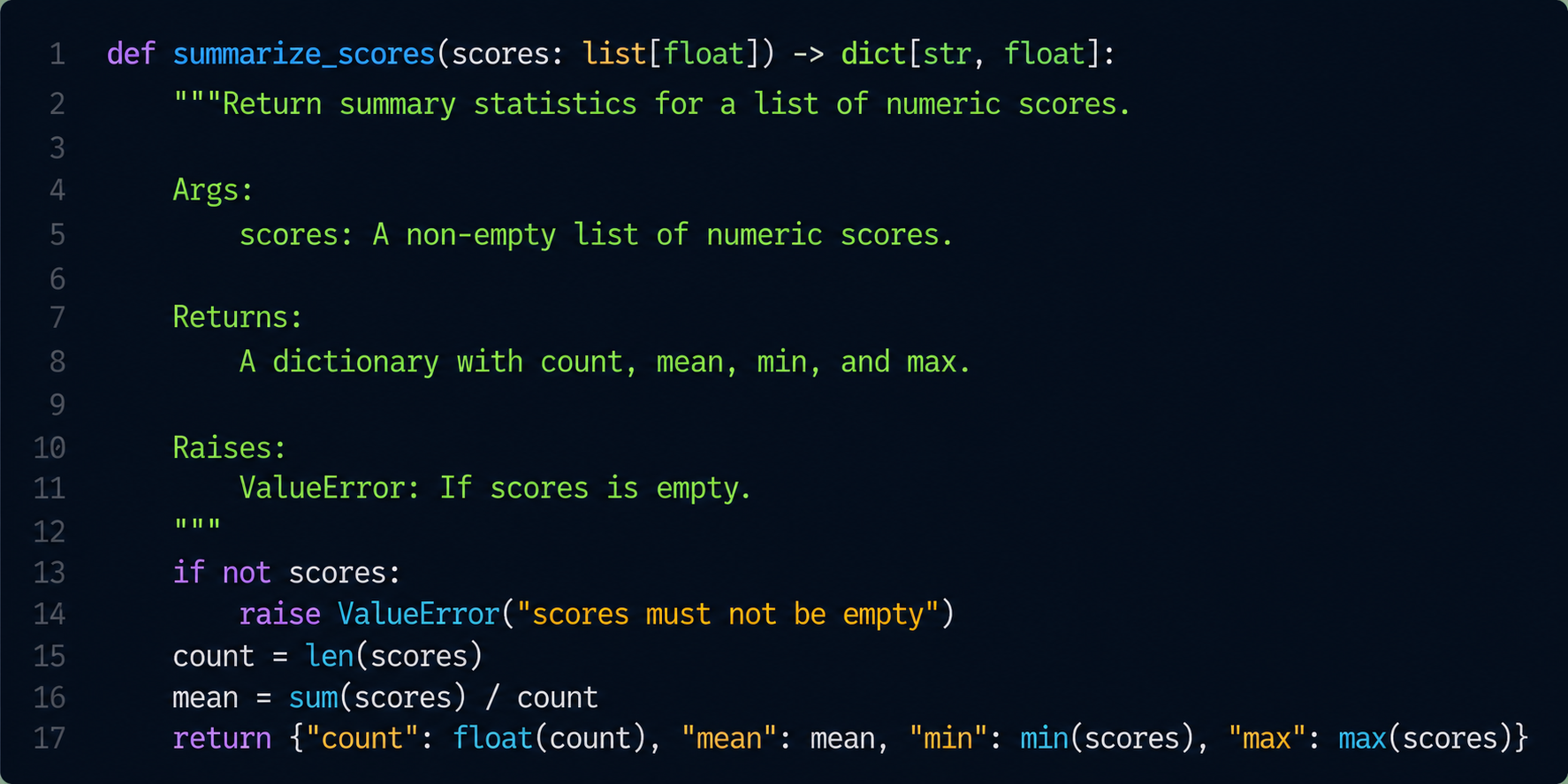
Most Python functions are written once and read many times. The reader used to be a coworker, your future self, or a reviewer. Today there is a new reader: the AI tools you use to explain, check, refactor, and extend your code.
Good docstrings and type hints were always worth the effort. Now they pay off twice: a well-described function is easier for a human to trust and gives an AI assistant the context it needs to make correct changes instead of guessing.
Why This Matters More With AI
When an AI assistant edits your code, it works from whatever signal you give it. A function with clear types, a descriptive docstring, and explicit error behavior is unambiguous. A function with bare dict arguments and no docstring forces the model to infer intent from variable names and surrounding code, which is exactly where subtle bugs and halucinating creep in.
The same properties that make a function reviewable by a human make it machine-checkable:
- Type hints let
mypy,pyright, and IDEs catch mistakes before runtime, and let an AI reason about valid inputs and outputs. - Docstrings describe intent, side effects, and edge cases that types alone cannot express.
- Small, single-purpose functions are easy to test, easy to explain, and easy to regenerate.
Think of it as writing a contract. The clearer the contract, the safer it is to hand the function to a coworker or a model.
A double win-win when you want to create documentation automatically from your code, with a proper Type hints and Docstrings the documentation will be generated almost 100% correct (depending of the LLM used), only small refactoring is needed. This result in auto-matich always updated documantation, add it to you're pipeline and you are ready to go!
Start With a Weak Function
Here is a function that technically works but gives almost no signal to a reader or a tool:
def get(devices, role, up=True):
    out = []
    for d in devices:
        if d["role"] == role and (d["status"] == "active") == up:
            out.append(d["name"])
    return out
What is devices? A list of what? What keys are guaranteed to exist? What does it return, and what happens if role is misspelled? A human can guess. An AI can guess too, but neither should have to.
Add Type Hints First
Type hints are the cheapest, highest-value improvement. They make the function's contract explicit and turn mypy into a free reviewer. Even no pydantic schema is mandatory for this to be used, but usefull to add see further down this page under #when types gets real: validate input at the boundary.
from typing import TypedDict

# Devine the class where a device input schema is devined,
# on forehand this will lead to correct input validation
# by the function and for, human and AI readers.
class Device(TypedDict):
    name: str
    role: str
    status: str

# Adding the device class as input to your function
def get_device_names(
    devices: list[Device],  # << Devine the input 'schema'>>
    role: str,
    must_be_active: bool = True,
) -> list[str]:
    names: list[str] = []
    for device in devices:
        is_active = device["status"] == "active"
        if device["role"] == role and is_active == must_be_active:
            names.append(device["name"])
    return names
Now the shape of the input is documented in code, the IDE autocompletes device["name"], and mypy will complain if a caller passes the wrong type.
Add a Docstring That Explains Intent
Types describe shape. Docstrings describe meaning, behavior, and edge cases. Use a consistent style; Google style is popular and renders well with most documentation generators.
def get_device_names(
    devices: list[Device],
    role: str,
    must_be_active: bool = True,
) -> list[str]:
    """Return the names of devices matching a role and status.

    Args:
        devices: Devices to filter. Each item must contain the keys
            ``name``, ``role``, and ``status``.
        role: Exact role to match, for example ``"edge"`` or ``"spine"``.
        must_be_active: If ``True`` (default) only devices with status
            ``"active"`` are returned. If ``False`` only non-active
            devices are returned.

    Returns:
        A list of device names, in the original input order. Empty if
        no device matches.

    Example:
        >>> devices = [
        ...     {"name": "edge1", "role": "edge", "status": "active"},
        ...     {"name": "edge2", "role": "edge", "status": "offline"},
        ... ]
        >>> get_device_names(devices, role="edge")
        ['edge1']
    """
    names: list[str] = []
    for device in devices:
        is_active = device["status"] == "active"
        if device["role"] == role and is_active == must_be_active:
            names.append(device["name"])
    return names
The Example block is not decoration anymore. It can be run as a test, and it gives an AI assistant a concrete, verified usage pattern to where his own tests are correct.
Let Your Editor Auto-Generate Docstrings
You do not have to type the scaffolding by hand. A few tools generate the docstring skeleton from the function signature, so you only fill in the descriptions. But first set the input types, correct as is_active:bool = False now the docstring knows that the input named is_active is a type of boolean and the default is False. This will be automatically documented.
VS Code: autoDocstring
The autoDocstring extension generates a docstring stub when you type """ under a function and press Enter. It reads the arguments and return annotation and pre-fills the sections.
Set your preferred format in settings.json:
{
  "autoDocstring.docstringFormat": "google",
  "autoDocstring.startOnNewLine": true,
  "autoDocstring.includeExtendedSummary": true
}
PyCharm
PyCharm generates docstrings automatically: place the cursor on the function name, press the intention shortcut (Alt+Enter), and choose Insert documentation string stub. Configure the format under Settings -> Tools -> Python Integrated Tools -> Docstring format (Google, NumPy, or reStructuredText).
Command line: pyment
pyment can add or convert docstrings across a whole file or project:
This is useful when adopting a docstring style on an existing codebase.
Validate Everything in CI
Auto-generated docstrings and type hints are only trustworthy if something checks them. Wire these into your pipeline so quality does not depend on memory.
Type checking with mypy
Lint and enforce docstrings with ruff
ruff is fast and bundles many checks, including the pydocstyle (D) rules that flag missing or malformed docstrings.
# pyproject.toml
[tool.ruff.lint]
select = ["E", "F", "I", "D"]

[tool.ruff.lint.pydocstyle]
convention = "google"
Let examples double as tests
Run the Example blocks in your docstrings as real tests with doctest:
If an example output drifts from reality, the build fails. That keeps docstrings honest, which keeps AI suggestions grounded in working code.
When Types Get Real: Validate Input at the Boundary
Type hints are not enforced at runtime. When a function receives external data (an API payload, a YAML file, user input), use Pydantic to validate the shape and fail loudly with a clear message.
from pydantic import BaseModel, Field


class Device(BaseModel):
    name: str = Field(min_length=1)
    role: str
    status: str


def parse_devices(raw: list[dict]) -> list[Device]:
    """Validate raw device dicts into typed ``Device`` models.

    Args:
        raw: Device dictionaries, typically from an API or YAML file.

    Returns:
        Validated ``Device`` instances.

    Raises:
        pydantic.ValidationError: If any item is missing required
            fields or has the wrong type.
    """
    return [Device.model_validate(item) for item in raw]
A documented Raises: section tells the reader and the AI exactly what failure looks like, so generated callers can handle it correctly instead of swallowing errors, it can be checkit in you're merge or pull request so the data as clean and validated before processing.
A Real Example: Configuring VLANs on Network Devices
Theory is nice, but the difference is easiest to feel with a real task. Below is the same function written twice: once with no type hints and no docstring, and once with both. Try the experiment yourself: paste each version into your favorite LLM and ask the exact same follow-up, for example "Add error handling and write unit tests for this function." The quality gap in the answers is the whole point of this article.
Version A: No type hints, no docstring
from netmiko import ConnectHandler


def cfg(d, vlans):
    c = ConnectHandler(**d)
    cmds = []
    for v in vlans:
        cmds.append("vlan " + str(v["id"]))
        cmds.append("name " + v["name"])
    out = c.send_config_set(cmds)
    c.save_config()
    c.disconnect()
    return out
What is d? A connection dict, an inventory object, a hostname? What keys does vlans need? Does it return raw CLI text, a status, or nothing useful? The LLM has to guess all of it, and it usually guesses something, which is exactly how subtly wrong code gets generated.
Version B: Type hints + docstring + validated input
from netmiko import ConnectHandler
from pydantic import BaseModel, Field


class DeviceConnection(BaseModel):
    host: str
    username: str
    password: str
    device_type: str = "cisco_ios"


class Vlan(BaseModel):
    id: int = Field(ge=1, le=4094)
    name: str = Field(min_length=1)


def configure_vlans(
    device: DeviceConnection,
    vlans: list[Vlan],
    save: bool = True,
) -> str:
    """Configure one or more VLANs on a single network device.

    Args:
        device: Connection details for the target device.
        vlans: VLANs to create. Each VLAN id must be 1-4094 and have a
            non-empty name.
        save: If ``True`` (default) the running config is written to
            startup config after the change.

    Returns:
        The raw CLI output returned by the device for the config set.

    Raises:
        netmiko.exceptions.NetmikoTimeoutException: If the device is
            unreachable.
        netmiko.exceptions.NetmikoAuthenticationException: If the
            credentials are rejected.

    Example:
        >>> device = DeviceConnection(
        ...     host="192.0.2.10", username="admin", password="secret"
        ... )
        >>> vlans = [Vlan(id=10, name="users"), Vlan(id=20, name="voice")]
        >>> configure_vlans(device, vlans)  # doctest: +SKIP
    """
    commands: list[str] = []
    for vlan in vlans:
        commands.append(f"vlan {vlan.id}")
        commands.append(f"name {vlan.name}")

    connection = ConnectHandler(**device.model_dump())
    try:
        output = connection.send_config_set(commands)
        if save:
            connection.save_config()
    finally:
        connection.disconnect()
    return output
What the LLM Does Differently
Feed both versions the same prompt and the answers diverge sharply:
| Prompt | With Version A (weak) | With Version B (strong) |
|---|---|---|
| "Explain this function" | Vague: "appears to configure VLANs on a device using a dictionary." | Precise: cites the exact connection fields, the 1-4094 VLAN range, and the save behavior. |
| "Add error handling" | Guesses which exceptions exist; often catches bare Exception. | Targets the documented NetmikoTimeoutException / auth exception and keeps the finally: disconnect(). |
| "Write unit tests" | Invents the shape of d and vlans, so the tests rarely match reality. | Builds valid DeviceConnection / Vlan objects and tests the 4094 boundary and empty-name validation. |
| "Extend it to also configure trunk ports" | Adds parameters with guessed names and types, breaking the existing call style. | Adds a typed TrunkPort model and matching params, consistent with the existing contract. |
What Gives the Most Difference?
If you can only add one thing, here is the ranking from most to least impactful for LLM output quality:
- Structured input/output types (biggest difference). Replacing bare
dandvlanswith typed models (DeviceConnection,list[Vlan]) and a typed return removes almost all of the model's guessing. The LLM no longer has to invent the data shape, so generated tests, callers, and extensions actually fit. This single change moves the needle the most. - A docstring with
Args,Returns, andRaises. This pins down intent and failure modes that types cannot express, so error handling and explanations become accurate instead of plausible. - A runnable
Example/ doctest. Gives the model a concrete, verified usage pattern to copy, which keeps generated calls syntactically correct. - Descriptive names (
configure_vlansvscfg). Helpful, but the smallest effect once the types and docstring are present.
The headline: type hints on the data, especially a validated schema for inputs and outputs, give the single largest improvement in LLM output. Docstrings then add the intent and error semantics that types alone cannot carry. Combine the two and the model stops guessing and starts following your contract.
A Checklist for AI-Friendly Functions
Before you consider a function "done", check that it is readable by both a coworker and a model:
- The function does one thing and has a verb-based name.
- Every parameter and the return value has a type hint.
- A docstring describes intent, arguments, return value, and any side effects.
- Error behavior is documented with
Raises:. - At least one runnable
Exampleshows typical usage. - External input is validated at the boundary (Pydantic, schema, or explicit checks).
mypy,ruff, anddoctestpass in CI.
How This Pays Off With AI
Once your functions follow this pattern, AI tools become far more reliable partners:
- Explaining code: the assistant summarizes from the docstring and types rather than reverse-engineering the body.
- Extending code: when you ask for a new variant, the model copies your established contract style and signatures.
- Refactoring: types and doctests act as guardrails, so a model's change either preserves the contract or visibly breaks a test.
- Reviewing: an AI reviewer can flag a new function that lacks a docstring or type hints against the same standard your CI enforces.
The investment is small and front-loaded. You write a clear contract once, and every future reader, human or machine, benefits from it.
Summary
Docstrings and type hints were always good practice. With AI in the loop they become a force multiplier: the same clarity that helps a coworker review your code lets an assistant check, extend, and refactor it safely. Auto-generate the scaffolding with autoDocstring, PyCharm, or pyment, fill in the intent, validate input with Pydantic, and enforce the standard with mypy, ruff, and doctest. Write the contract once, and let both humans and machines rely on it.